Tuesday, March 23, 2010

How to Create a Watermark Action in Photoshop

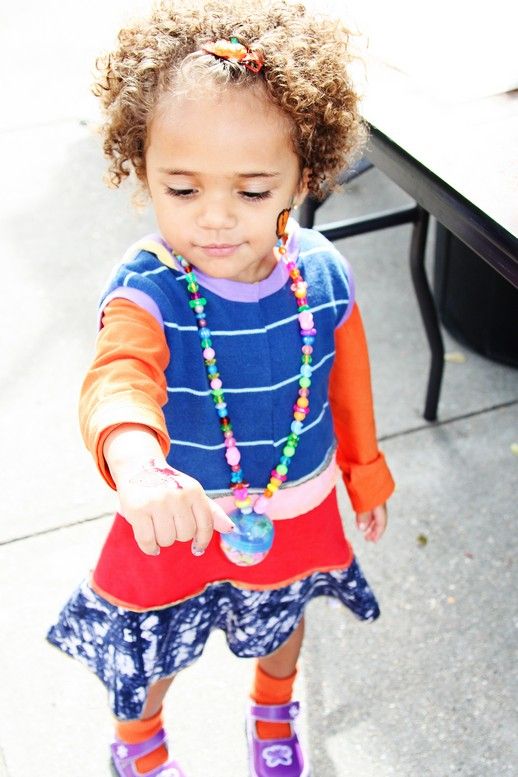
Serenity's crochet Apple Cap was designed and handmade by NuxieMade, her dress was designed
and hand-sewn by courtneycourtney, and the photography was done by ME!


This is so incredibly easy to do! I like to make sure I put a watermark on Serenity's pictures partly for safety reasons, but it also lets people know that the picture is protected and can't be used without my permission. I started doing it well over a year ago, and even though people can (and have) cropped it off, having a watermark does help.

I don't mind Serenity's picture up, but it needs to have my watermark on the photo before it travels to another blog or website. Especially if it's a picture that's being used to promote a someone's business or something along those lines. I've had a few issues with that already, and it really doesn't matter how small the picture may be, or how insufficient someone else might think it is - it's important to me that my child's picture has a watermark on it, and of course not being used somewhere I wouldn't approve.

Most people, especially parents, are very understanding!


A watermark also helps to advertise your blog and/or Etsy store. If someone likes your photography, clothes you've made or your pretty model, having a watermark is a good way for them to contact you.

People can get really creative with their watermarks too, and try to make them as uniquely their own and artful as their clothing line, photography, or whatever they happen to be selling!

Like your blog banner and buttons, usually a watermark is a personal distinct brand, something that will advertise to potential buyers who you are as an artist, designer, or crafter. They can be quite clever and require a healthy imagination to design. But sadly, as it is it with some things that have become so popular, I've seen even the personal style of an especially ingenious watermark being copied and claimed as someone else's inspiration! Of course not everybody does it, but some out there do.

Ah well, whatcha' gonna do? Create another one even MORE unique!

Okay here's the step-by-step how to create the plain old watermark like I use. For a more visual tutorial, you can play the video I made below.

  • 1. Open a picture in Photoshop.
  • 2. On your Actions sidebar, turn the Button Mode off.
  • 3. Click the "Create New Action" button at the bottom.
  • 4. When the "New Action" window pops up, name it whatever you like. I'm calling mine, "New Watermark". I also clicked to make the color red. All this does is make the action red in the Button Mode. Then click "Record".
  • 5. Now you want to make sure your horizontal type tool is selected. It's the capital "T" button.
  • 6. Left-click and drag your mouse until your box is around the width and height you want it. You can always fine-tune the size of the box later.
  • 7. Before you type in your watermark, make sure to choose the color, font, and size of your watermark first. You can always adjust it later too.
  • 8. I like using the copyright symbol "©" before my blog site. To type the symbol, I hold down the ALT key and type 0169 and it pops right up!
  • 9. This is the step you can make any adjustments you like to the watermark.Moving, resizing, changing the color, font, etc. You can also adjust the opacity to make it more transparent.
  • 10. Now click the "Stop" button on the Actions sidebar.
  • 11. Turn Button Mode back on.
  • 12. You'll see your New Watermark button (mine is red)! Let's try it out.
  • 13. Open a new photo.
  • 14. Click your New Watermark button.
  • 15. It works! All done!


You can made the video bigger by clicking on the directional arrows before the word "vimeo".
I hope this tutorial has been helpful!


UPDATE:
Kelly has asked how to do this for the non-Photoshop people and what would be the best free program. My friend Kira told me she uses GIMP and it's totally free. And from I've been reading, is supposed to be as powerful as Photoshop! It's supposed to even open Photoshop files.

Gotta love free!

So right now I'm trying it out, seeing how it works, and hopefully learn how to make a watermark quick and easy. Once I do, I'll either update this post or create a new one just for GIMP users!

While you're here, check out my other tutorials too!


Have fun!


 http://www.thethriftyhome.comShow and Tell Green

StumbleUpon.com

Monday, March 22, 2010

Otterbox for the iTouch


This is the iTouch Otterbox Defender series case. Otterbox stopped making them, but people complained so they will be coming back soon. The site says Spring 2010 - which I guess means any day now! You can follow the link above to submit your email address, and they'll notify you when the new cases become available. I hope it comes in a lot of different colors - like pink!

The first I heard of this case was from my friend Kira. Then later on the same day, I found out my Brother-in-Law had one for his iTouch! The case adds a little bulk to your iTouch, but it keeps it safe. I doubt the extra bulk will matter to Serenity.

This case is
very tough - and I know it'll hold up better than the case Serenity has on her iTouch now. Definitely worth the investment - especially if it's for your 3 year old! My BIL's case protects his screen, phone, and all the ports. That's perfect! I wouldn't have to worry about Serenity dropping her phone - she hasn't yet (nothing major), but it's certainly a big concern of mine.

I
drop my phone occasionally, I would expect a 3 year old would too at some point. I have visions of her dropping it while sitting in a Target shopping buggy!


Then the next day, another friend had a similar case for her iPhone. Mel said while she was at the AT&T store getting her phone, they were throwing these cases on the floor over and over and the iPhone inside wasn't even damaged! That convinced her to buy one. But man, the more I looked at it, the more familiar it got. I think my husband got one for me when he bought my iPhone!

Sure enough, when I got home and checked - it
was the Otterbox Defender case for the iPhone! When Terry first showed it to me - all I saw was how bulky it was and I didn't want it. So it's just been lying round now for over a month.

The first thing I did when I got home was pop my iPhone in the Otterbox. Yeah, it
IS bulky, but it's not that bad and it's tough - probably the toughest case you'll find. Look, why pay $200 or more for the iPhone and iTouch and not get the best protection you can find for them? Doesn't make any sense.

Just like the iTouch Defender case, this one will protect your screen, phone, and all the ports. When you click on the Otterbox Defender case link, you'll see an instructional video that shows you how to put the case on your iPhone. The case pretty much works the same way for the iTouch too. You can get a better idea of how well the case protects the phone (and iTouch) by watching the video.


Otterbox does make a slimmer case for the iPhone, it's called the Commuter TL series. I ordered one to try it. These cases have a lot more colors to choose from - pink, green, black, blue, red, yellow and white. Besides the black, the colors are very pretty and bright!

I think once my husband gets an iPhone he could use the extra protection the Defender cases offers - since he uses his phone while working, hunting, fishing, and all that other boyie outdoorsy stuff guys do!

When the Commuter case arrives, and eventually the new case for the iTouch - I'll update and let y'all know how they worked out.

If you haven't already, don't forget to read my post HERE on why I think an iTouch is a GREAT buy for your 3 year old!

Have fun!

StumbleUpon.com

Sunday, March 21, 2010

GIVEAWAY: Flower Clip from MiaMoo Designs!


Win this cute flower clip from MiaMoo Designs!

It's a pretty pink and yellow daisy with 20 yellow Swarovski Crystals in the center!

This would look lovely with any of your daughter's Spring or Easter outfits!

Head over to MiaMoo Designs for 4 chances to win!

Have fun!

StumbleUpon.com

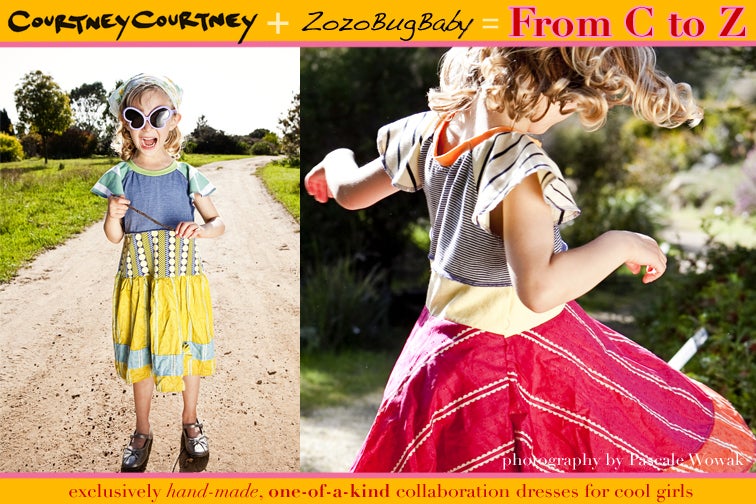
From C to Z: A CC and Zozo Collaboration!


Two fantastic and unique designers came together to create the perfect blend of their distinct styles!

The dresses start in Chicago with Courtney, and then travels to Oregon where Julie adds the finishing pieces!

Their new store, From C to Z will have their beautiful work up for sale from time to time. Both of these ladies are extremely busy with their own clothing lines (courtneycourtney and ZozoBugBaby), so new dresses will be
very rare.

Actually, the collaboration involves THREE artists! I can't forget to mention the fabulous Pascale Wowack who took the awesome pictures of gorgeous Miss E modeling two sweet C to Z dresses!

I was very lucky to be hanging around when the Facebook announcement of the opening of C to Z went out. I grabbed this beauty for Serenity, and of course I can't wait to take some pictures of her wearing it!


A few extras I gotta mention:

Check out the SALE ZozoBugBaby has on some of her lovely new Spring outfits over at Etsy right now!

Go enter courtneycourtney's new CC in a Room contest for a chance to win a pretty limited edition hand cut circle silkscreen pillow for your child's room or any room! CC makes pillows?!

All three of these women are extremely talented and I just can't get over the awesome work they did designing and photographing this fun new dress style!


Have fun!

StumbleUpon.com

Saturday, March 20, 2010

Serenity's Saints Dress by CC!!


First of all I totally forgot about putting up the Giveaway for Friday! We've been sick this past week and I was determined NOT to stay in the house another minute and it completely slipped my mind to take time-out to put up the post. I'll have to put up something extra special for next week - maybe I should have a poll and let y'all choose from a list of what y'all like to win?

Even though Serenity is still a little sick (coughing & runny nose), we had a wonderful afternoon and evening. We went to Target, met some friends at Chick-fil-A for a playdate, make a pit-stop at Starbucks, and then stopped off at Grandma's!

BTW: Is it just me, but is the sound of a kid sucking up snot over and over worse than running your nails down a chalk board?!

I'm just saying...

Anyhoo, before doing all that, I took some pictures of Serenity in her brand-new Saints dress from the original courtneycourtney!! So here's my baby in all her glory posing (and being a silly goose) with my husband's Saints Championship ball - ya think he might kill me when he comes home from work? Nah - he loves me!


Also, I'm going to look around after the weekend to learn how to post a poll so y'all can vote on what should be the Giveaway for next Friday.

As long as Serenity feels up to it, I'm planning on more fun tomorrow! Kid's day downtown at the courthouse and a birthday party! WooHoo!

Hope everybody has a great weekend too!

Get a load of the face she's making in this picture! She makes such funny faces like that all the time - she cracks me up!


Have fun!

StumbleUpon.com

Thursday, March 18, 2010

Thursday's Treasures: Week 14

Share your crafty ideas!

Welcome to the 14th week of Thursday's Treasures!
All ideas, tutorials, crafting projects, or recipes you've been working on are welcome!

Are you having a GIVEAWAY on your blog?
Share the news by posting a link here too!

You'll have until Tuesday 12AM to post your links this week.
So don't forget to post anything crafty you've been doing!!


Check out these great ideas and tutorials that were shared last week:

Easy Homemade Baby Bib
via Favorites and Things


T-Shirt Trunks
via Nancy's Couture


Ziggy Quilt
via Moda Bake Shop


Taggie
via My Blonde Ambitions


Sock Monster!
via My Inspiration Index


Chicks Dig Me
via Just Another Day in Paradise


Blanket Lollipop Tutorial
via Cute as a Fox Creations


Country Dammit Doll
via Crafts by Amanda


Washer Necklace Tutorial
via Becky's Craft Closet


Easter Egg Hunt Invitation
via Chica and Jo


LOVE them all!
If I featured you, help yourself to a button!!


TREASURESFORTOTS


Thank y'all so much for sharing!!


Guidelines:

1. Click the "CLICK HERE" link below to add a permalink to your crafty project, idea and tutorial post - not your main blog. You can enter as many links as you'd like.

However, NO links to Etsy or Ebay stores please!

2. Copy the HTML code for my brand-new Thursday's Treasures button, and then add it to the post or on your blog to spread the fun.


TREASURESFORTOTS


What a cool way to share tons of ideas and crafts across the blogoshere and good way to promote your blog too!


All the links that get posted before the deadline will stay up indefinitely so you can always stop by to find them again!


Have fun!


StumbleUpon.com

Wednesday, March 17, 2010

GIVEAWAY: Win SafteyTats!


Head over to Random Thoughts of a Supermom to find out how to win them for your child!

Here's a little information I found on Supermom's blog post about SafetyTats:

"Quick Stick Write-on!" SafetyTats
-applied without water
-are shipped blank so customers can write in emergency contact information
-are vibrant and opaque, so they work equally well on all skin tones
-ultra-durable
-last up to two weeks
-stretchable, breathable microthin elastomer
-Medical grade adhesive

How cool! Head over to Random Thoughts of a Supermom to find out how you can WIN!

Have fun!

StumbleUpon.com

DIY: No-Slip Grip for Clippies

You can add a no-slip grip to any clippie (they will stay in the finest hair) quick and easy using cabinet/drawer liners!

I found a roll of it at Wal-Mart for around $5 - and it'll last forever! If you can't find it in your area, Amazon has a 12" wide roll for $8.99 and free shipping. It's the same kind I bought from my local Wal-Mart.

Remember you can click on a picture to
ZOOM in.

Materials Needed:
roll of drawer liner
sewing gauge or ruler
rotary blade and mat (optional)
glue gun and sticks
scissors


Using the rotary blade and mat, cut a 1/4" wide strip of liner. Then cut the strip into 1" long pieces.


If you're making a snap clippie, hot glue the piece of liner (smooth side down) to the end of your ribbon (make sure it's centered) before covering the clippie with the ribbon. Then slip the liner end of ribbon on the clippie and continuing covering it as usual. If you'd like to learn how to make one, go have a look at my tutorial, How to Cover a Snap Clip with Ribbon for more information.


When I'm making a pinch clip, I glue the no-slip grip after I've lined it. If you'd like to learn how to make those, you can find my tutorial here.


See how easy that was?! A snap!


UPDATE:
It's nice to hear that this tip has been so helpful - but I can't take credit for it! I found it online at a lot of different websites and blogs when I was learning how to make clippies.

I tried it out and it does work great (I like the liner that I'm using in my tute the best) so I thought I'd share it with my readers!


Have fun!


 http://www.thethriftyhome.com Get your craft on Thurs. Beyond The Picket Fence

StumbleUpon.com

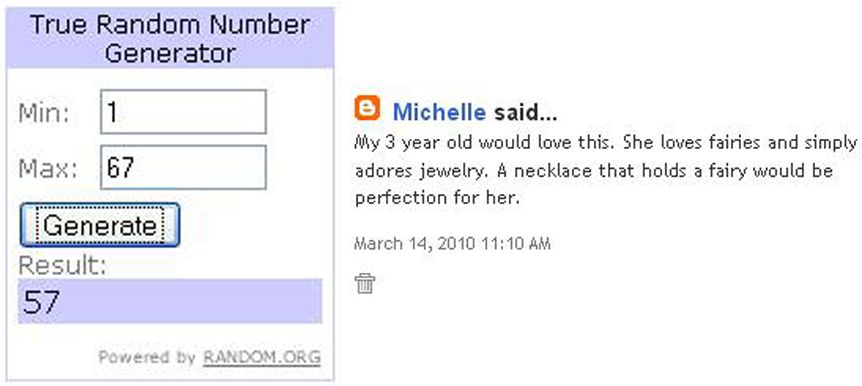
And the WINNERS are...


Michelle and Katie!

Congratulations!


I just sent y'all an email! If you don't see it - check your Spam folder!


Please make sure to contact me with your mailing address so I can send your new Fairy Necklaces right away!


A HUGE thank you to everyone who entered!


Please stay tuned for a NEW giveaway this Friday!


Happy St. Patrick's Day!

Have fun!


StumbleUpon.com

Monday, March 15, 2010

An iTouch for a 3 year old?

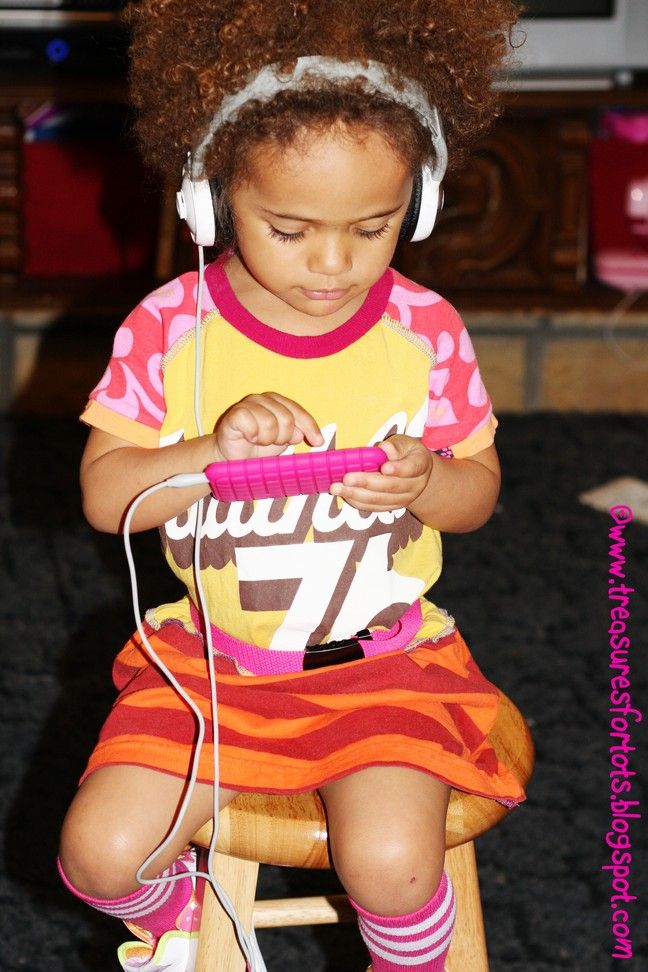
Yes! And I'll tell you why. You can load it with all kinds of different media that will hold a 3 year old's attention indefinitely! Actually the battery lasts around 6 hours of straight play time - but Serenity's iTouch is about a month old now and she's no where near bored with it. She plays games, music, music videos, movies, and her favorite TV shows on her iTouch. It's like having a Nintendo DS, MP3 player, and portable DVD player all-in-one!

After getting my iPhone a little over a month ago, I uploaded few games on it - of course! When Serenity saw what I was playing, she hijacked it and refused to give it back! I was amazed how fast she caught on how to use it too. She was having so much fun playing the few games I had, watching the videos, and listening to the music, that I really wanted to get her something similar of her own. Here she is playing SmackTalk! on my iPhone - sorry the video is so dark. This is one of her favorite apps (she loves the hamster), but you can't play it on an iTouch because it doesn't have a microphone.

UPDATE: The newer iTouch has a camera on the front and back, and a microphone so SmackTalk! will work just fine on it.


If you're worried that handing over an iTouch to your preschooler is nothing more than getting them hooked on horrible video games way too early, I have to disagree! The apps designed for young children are mostly educational - and they are either free or very cheap.

Serenity is learning her alphabet, numbers, colors, how to solve puzzles, draw, and it's been helping with her coordination too. Of course some of that she already knew but not all - besides, she has so much fun learning while playing with her iTouch that it's hard to find fault with it.

My husband and I bought Serenity the 8GB iTouch for around $180. The 8GB holds more than enough entertainment for a preschooler. When you consider I'd have to buy a Nintendo DS ($130) & games ($? LOTS!), MP3 player ($15 and up), and portable DVD player ($60 and up) to cover everything the iTouch offers, $180 doesn't sound too bad. Plus, that's an awful lot of hardware to pack up and keep track of every time you leave the house. Serenity's iTouch fits neatly in her little purse!

We also bought a few accessories for it too. A nice pink rubber case, some Belkin screen protectors, and a pair of Kidz Gear Headphones. I'm very satisfied with all of it. The case fits snug and the screen protector is pretty easy to apply.
I also make sure she's only allowed to play with her iTouch around me, and I'm teaching her to be very careful with it. She's doing a good job - no major incidents so far (knock on wood!).

The headphones actually fit comfortably on Serenity's head, and with the built in volume-control I know the sounds won't be blaring in her ears.

Although, I think I'd like to see something like the Tadpole made for an iTouch! It looks durable and definitely kid-friendly.


Now to add movies you can either buy them in iTunes, or put movies you already own on it. Try using DVDShrink and Xilisoft Video Converter to put your movies on your computer, convert them, and then add them to the iTouch via iTunes. I know it's more time-consuming, but it's free!

I've done a little research to discover apps that would interest a 3 year old, but I also just surf around in the app store to find them too. Here's a list of some of Serenity's favorite apps:

Wood Puzzle (99¢),
McPea Preschool (99¢),
iWriteWords ($1.99),
Bubble Snap (FREE),
Sneezies (99¢),
Tozzle ($1.99),
Moo Shake (99¢),
Screen Cleaner (FREE),
Scribble Lite (FREE),
Shape Builder Lite (FREE), and
Plants vs. Zombies ($2.99).

Yeah - Plants vs. Zombies! Serenity saw me playing it on my iPhone and wanted me to put it on her iTouch (which didn't cost anything extra). She loves it! She's so funny too - when they make their way past her defenses, she says, "Oh no! The Zombies ate my Bwains"!

A few games offer a "lite" version. It a great way to try out a program for free to see if your child likes it. In some cases, like Disney Fairies Fly, the lite version is more than enough to keep Serenity interested.

We've been sick this past weekend, and instead of being bored and irritated because she had to lay down and rest, Serenity had fun playing on her iTouch. That's something I never even thought about when I bought it. Excellent!

I highly recommend it for your preschooler or young child.
I have nothing but good to say about the iTouch. Serenity can watch all her favorite shows, movies, music videos, listen to her favorite music, and have tons of fun learning in an entertaining new way!

Here's a few more Apps for Kids Serenity likes and your child might too:

Preschool Arcade
Kids Four
Letters A to Z
MiniPiano
Word Magic
Scoops
Cupcakes
123 Animals Counting Lite
123 Tracer and More Lite
Sprout Player
BuddyApps: Kid Phone
Doddle Jump
Giraffe's Preschool Playground
Elmo's Monster Maker
Dora Saves the Crystal Kingdom
Go, Diego, Go! Musical Missions
Kidzongs
Learn Sight Words
Toddler Teasers Quizzing

If your preschooler has a favorite please let me know! Maybe Serenity would like it too!

UPDATE:

I'd like to add that you don't have to pay a monthly fee to enjoy the features on an iTouch. It does have WiFi, but that's built in and it works on any network - like at home, McDonald's, Starbucks, hotels - anywhere you can pick up a signal. It has Bluetooth too. Both of these features can be turned off. Bluetooth so the iTouch battery will last longer, and WiFi so your child can't get online.

You can put pictures on it too - I have a few of family, friends and Serenity on her iTouch.

I also forgot to mention that the App Store offers wonderful interactive books at great prices for your preschooler:

Sleeping Beauty
The Boy Who Cried Wolf
The Little Red Hen
Goldilocks and the Three Bears
The Three Little Pigs
The Tortoise and the Hare
The Cat in the Hat

And plenty more!

Can you tell why I (and Serenity!) really, really, really like the iTouch?!

Have fun!

StumbleUpon.com

Friday, March 12, 2010

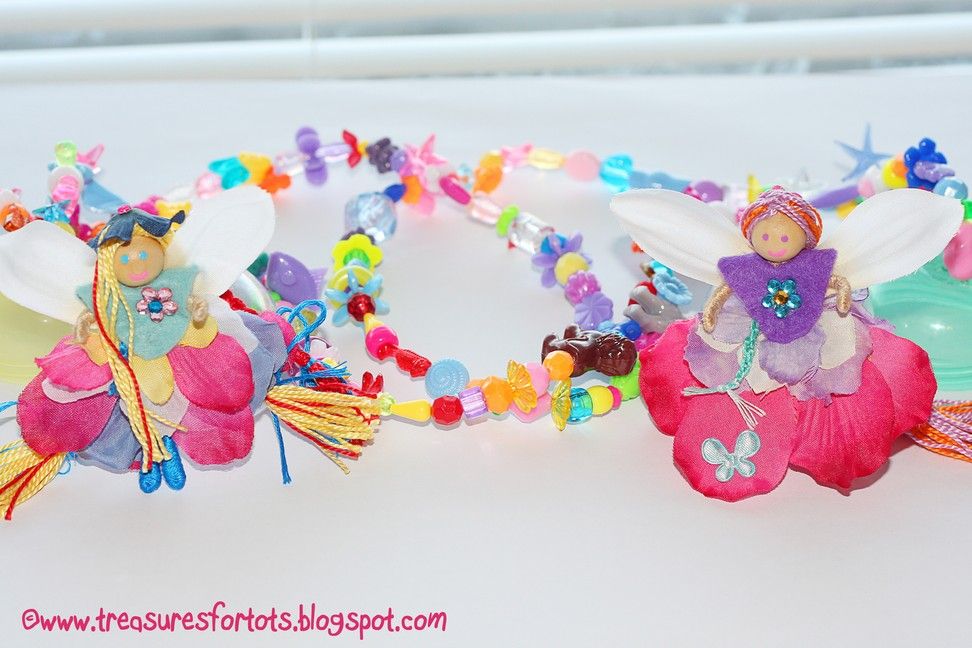
GIVEAWAY: Two Fairy Necklaces!


Win TWO Fairy Necklaces!

Two lucky Fans will have the chance to win!

Just leave a comment telling me who you'd give it to!



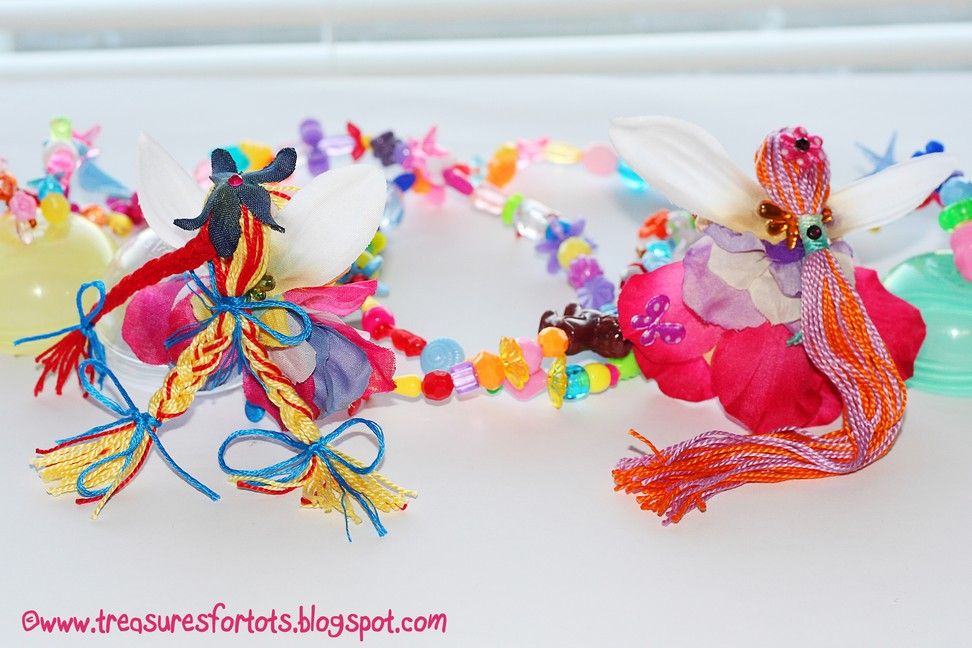
Here's a picture of Serenity wearing her Fairy Necklace!

If you'd like to learn how to make your own Fairy Necklace, check out my tutorial here.


Extra Entries:
*Leave a Separate Comment for each!*

1. Follow Treasures for Tots and leave a comment telling me you're now a follower!
If you're already a follower, don't forget to leave a comment too!
Example: I'm a stalker now!
or
I've been stalking you forever!

2. Become a Treasures for Tots Facebook fan and leave a comment telling me you're a FB fan!
Example: I'm a T4T's Facebook Fan!

3. Follow Treasures for Tots on Twitter and leave a comment telling me you're a Twitter follower!
If you're already a follower, don't forget to leave a comment too!
Example: I follow T4T on Twitter!
or
I've been a follower of T4T on Twitter!

4. Tweet about this giveaway and leave a comment (and a link) telling me you did!
Example: Check out Treasures for Tots @
http://tinyurl.com/yhotrf2 for a chance to WIN 2 Fairy Necklaces!
www.twitter/myprofile

5. Share this Giveaway on Facebook and leave a comment (and a link) telling me you did!
Example:
Check out Treasures for Tots @http://tinyurl.com/yhotrf2 for a chance to WIN 2 Fairy Necklaces!
www.facebook/myprofile

6. Blog about this Giveaway and leave a comment (and a link) telling me you did!
Example: I blogged about the Giveaway! Here's the link: www.fairynecklace.com


7. Purchase any item from my T4T Etsy store and leave 5 separate comments with the transaction number!
Example: I bought a clippie! Trans. #1 (repeat 5 times)


That's a grand total of 12 chances to WIN!


Rules:

1. Everyone is eligible to enter - no matter where you live!
2. Giveaway ends on Wednesday, March 17th at 12AM (Central time).
3. Make sure to leave your email address in your comment if it isn't available through your blog or profile! I need to be able to contact you if you win!


Have Fun and Good Luck!

StumbleUpon.com

Thursday, March 11, 2010

Thursday's Treasures: Week 13

Share your crafty ideas!

Welcome to the 13th week of Thursday's Treasures!
All ideas, tutorials, crafting projects, or recipes you've been working on are welcome!

Are you having a GIVEAWAY on your blog?
Share the news by posting a link here too!

You'll have until Tuesday 12AM to post your links this week.
So don't forget to post anything crafty you've been doing!!


Check out these great ideas and tutorials that were shared last week:

Thin Mint Clover Cookies!
via MiaMoo Designs


Food Face How-To
via At Second Street


Counting Felt Fish
via Counting Coconuts


Green Eggs and Ham
via Pink Tea


Flip Along Book GIVEAWAY (ends March 22nd)
via Bless Their Hearts Mom


Easy DIY T-Shirt Rehab
via Fireflies and Jellybeans


Greater-Than/Less-Than Felt Alligator Game
via Helping Little Hands


Glazed Fabric Button Ring Tutorial
via Smashed Peas and Carrots


Ruffle Shoulder Bag Tutorial
via Mama Lusco


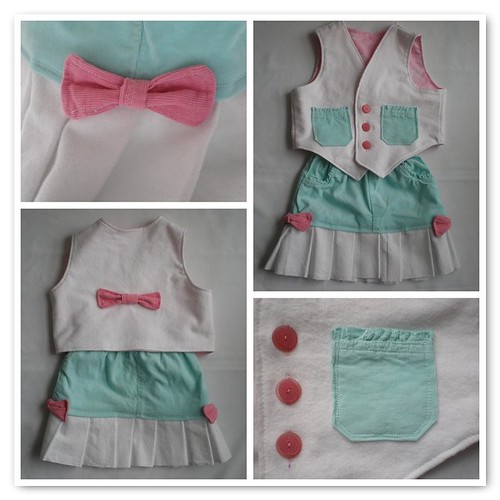
How To Refashion Pants to Toddler Skirt & Vest
via Until Wednesday Calls


LOVE them all!
If I featured you, help yourself to a button!!


TREASURESFORTOTS


Thank y'all so much for sharing!!


Guidelines:

1. Click the "CLICK HERE" link below to add a permalink to your crafty project, idea and tutorial post - not your main blog. You can enter as many links as you'd like.

However, NO links to Etsy or Ebay stores please!

2. Copy the HTML code for my brand-new Thursday's Treasures button, and then add it to the post or on your blog to spread the fun.


TREASURESFORTOTS


What a cool way to share tons of ideas and crafts across the blogoshere and good way to promote your blog too!


All the links that get posted before the deadline will stay up indefinitely so you can always stop by to find them again!


Have fun!


StumbleUpon.com
Related Posts with Thumbnails